
Unlock Traffic: Voice Search Optimization for Your Content!
You’ve probably talked to your phone and gotten answers that totally missed the mark. Voice search has changed the game. People now talk to their devices like they’re chatting with a friend, using regular words instead of typing stiff keywords. This guide shows you exactly how to make your content work with those natural questions so more visitors find your website.
Here’s the thing: voice search keeps growing every single day. Keep reading to discover the simple changes that could transform your site’s traffic.
Key Takeaways
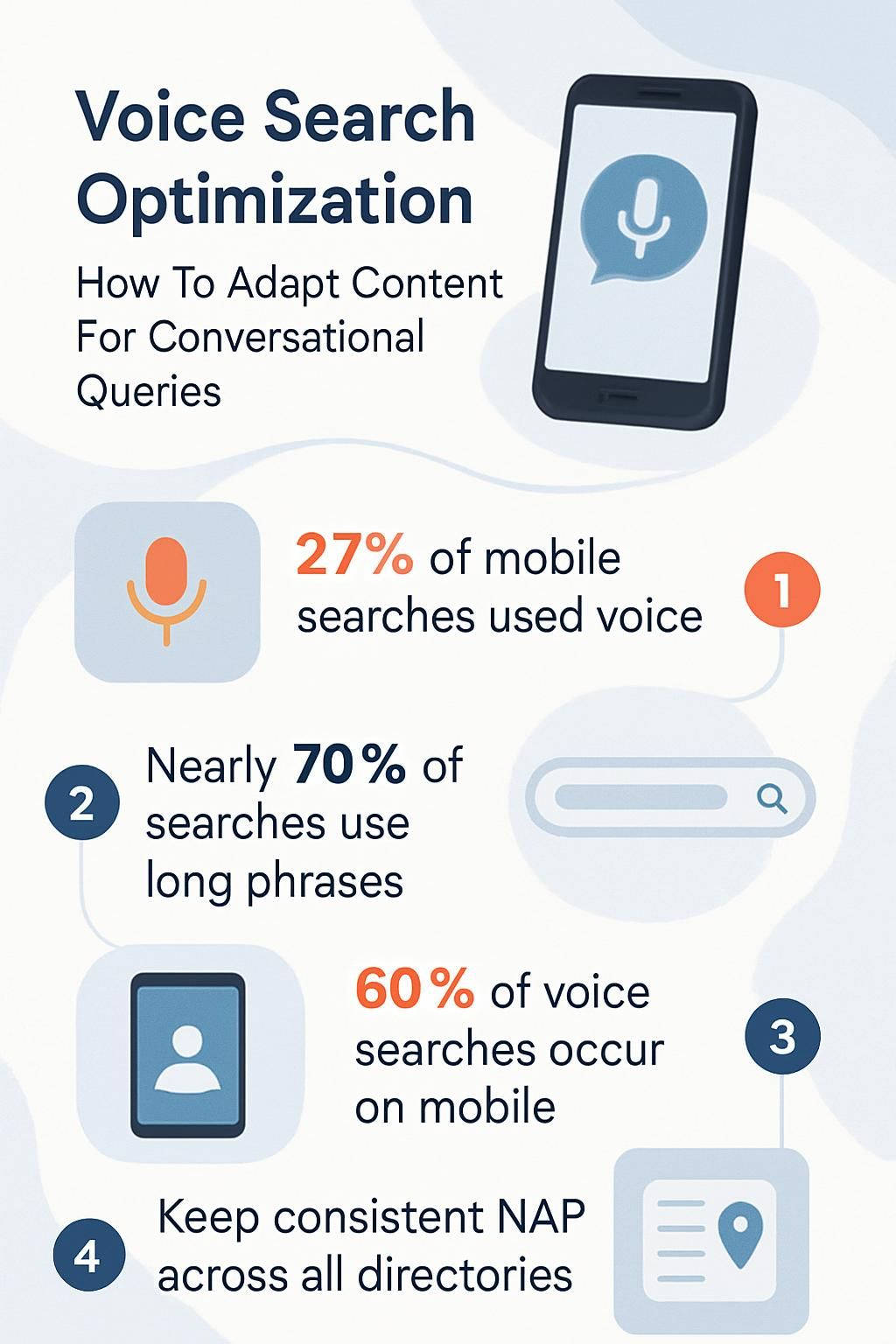
- Write like you talk and use short, clear sentences to match how people speak to Siri, Alexa, or Google Assistant. Add direct answers to common questions since over 27% of mobile searches happened through voice in February 2023.
- Target long-tail keywords and question phrases like “how do I fix a slow iPhone” or “best pizza near me right now.” Nearly 70% of searches use longer phrases rather than single words according to Moz research.
- Build FAQ sections with quick answers in everyday language. Structured data markup helps smart speakers find and read your information out loud to users.
- Make websites mobile-friendly with lightning-fast load times because about 60% of voice searches come from mobile devices. Compress images, use responsive design tools like Bootstrap, and make menus thumb-friendly.
- Keep your business listings current across all directories like Google Business Profile, Yelp, Facebook, Bing Places, and Apple Maps. Use the same name, address, and phone number everywhere. Update your hours regularly. Encourage customer reviews to improve local SEO rankings.
Writing Content for Conversational Queries
Speaking to voice assistants feels like talking with a buddy these days. Thanks to Conversational AI and Natural Language Processing, these devices understand regular speech better than ever. To connect with users, you need Search Engine Optimization methods that match how people actually talk in real life.
Use a natural, conversational tone
Writing like a real person makes content perfect for voice search. Picture yourself chatting with a friend over coffee. You’d use simple words, not complicated technical phrases. Short sentences sound natural and keep listeners interested when they ask Alexa or Google Assistant for help. Direct answers work best because people want facts fast, not long explanations.
Clear communication wins every time. Readers love feeling understood, just like when you nod along during a good conversation at your favorite coffee shop. Write as if you’re talking to one curious reader. Use an informal tone with a bit of humor or personal stories that stick. That’s exactly how engaging content gets picked up by smart speakers and matches user intent perfectly.
Say it plain enough for grandma to understand, and even Siri will listen.
Write concise sentences and paragraphs
Short sentences increase clarity fast. They help readers and voice assistants understand content immediately. Break those huge blocks of text into user-friendly paragraphs that people can scan quickly. A five-sentence paragraph usually works great for conversational writing. This format keeps attention high since nobody enjoys reading walls of text.
Direct answers get straight to the point. This makes content more readable and valuable during voice searches on platforms like Google Assistant or Siri. Take this example: “How do I reset my password?” deserves a one-line answer first, then any technical details can follow. An FAQ section with concise answers gives users quick solutions. It also boosts SEO with long-tail keywords and natural language phrases people use in everyday conversation. Write tight, and your audience will thank you!
Answer common questions directly
People use voice search like they’re talking to a friend. They want quick answers without any confusion. Answering common questions directly transforms your conversational SEO game completely.
- Clear, straight answers are exactly what Google Assistant and Siri love most. Give them what they want.
- Adding an FAQ section supercharges your content strategy for voice search optimization. Someone asks, “What time does Target close?” Your website should reply like you’re standing right there: “Target stores usually close at 10 pm.”
- Google’s search quality guidelines value direct answers because user intent is crystal clear. You’ll climb the semantic search rankings much faster this way.
- Use short sentences that solve the question immediately. If someone asks “How do I reset my iPhone?” then say, “Hold down the power button and home button until you see the Apple logo.”
- Over 27% of all mobile searches used voice assistants in February 2023. This trend shows people crave short and direct FAQ content more than ever.
- Voice queries sound like natural language, so respond in plain English. Skip the jargon and say things how real people do over coffee.
- Structured data markup helps smart speakers find your answers quickly. You become a go-to source for query resolution because your info is easy to grab and read aloud.
- Make sure each response matches user intent perfectly. Someone searching for “best pizza near me” wants locations right now, not a history lesson about pizza origins.
- Keep paragraphs punchy with one or two lines most times. Direct answers win more featured snippets and earn attention from Alexa or Google Home devices.
- Experts suggest updating your FAQ regularly as search behavior changes quickly. Regular tweaks help you stay ahead on conversational SEO results.
Direct responses build trust. They make life easier for both users and digital helpers like Siri or Alexa.

Keyword Strategies for Voice Search
Smart keyword choices can make or break voice search optimization. Tools like Conversational AI and Natural Language Processing catch every tiny detail in spoken queries. Nail the right longtail keywords and user intent, and your content could be exactly what Alexa repeats at dinner. Now that’s saying something!
Focus on long-tail keywords
Long-tail keywords match how people really talk in daily life. They often answer someone’s specific question like “how do you fix a slow iPhone” or “best pizza near me right now.” Google’s natural language processing pays special attention to these phrases. Why? Because they match real search engine queries perfectly.
Using long sentences packed with big words can scare readers away. So stick to direct answers and stay friendly. Tools like Semrush or Ahrefs help you spot conversational keywords that fit your target audience. These tools show you exactly what people are asking their devices.
People using voice assistants want instant results, not riddles to solve. Write with informal language and slip in question-based queries like “what is the fastest way…” You’ll connect better with folks talking to Alexa or Siri. Moz says nearly 70% of searches use longer questions instead of short terms now. Your goal stays simple. Match user intent by answering what people actually ask into their phones.
Speak like your reader speaks, that’s the real magic behind voice search optimization.
Incorporate question-based phrases
Building on those long-tail keywords, question-based phrases take your voice search strategy to the next level. People speak to smart speakers and phones like they’re talking to a friend, right? “How do I bake chocolate chip cookies?” or “What is the weather in Phoenix today?” Users expect quick answers from devices using natural language processing. Google Assistant and Alexa thrive on this conversational style.
Think about real questions users ask out loud every day. Insert phrases like who, what, where, why, and how into your content naturally. Voice assistants love content that answers full questions clearly and completely. Writing simple but informative responses helps voice recognition tools match user intent in conversational search scenarios. Short sentences with direct answers also improve search optimization for those on-the-go queries!

Align with user search intent
Understanding user intent means thinking exactly like your audience does. People often use voice search to get quick answers or solve small problems immediately, especially on mobile devices. A busy parent might ask their smart speaker, “What time does the grocery store close?” on a hectic Sunday evening. Google’s Natural Language Processing scans for content that gives clear and direct responses. Your content must match this behavior by offering simple solutions fast.
Focus on long-tail keywords and everyday phrases people actually say out loud. Think “best pizza near me tonight” instead of just typing “pizza.” Add FAQ sections with bite-sized answers to help virtual assistants pull your information into Search Engine Results Pages. Using structured data markup helps Google understand your topic at a glance. This makes information retrieval smoother for users seeking specific facts or instructions in real time.

Technical Optimizations for Voice Search
Smart tweaks with structured data, speedy mobile pages, and clear voice user interfaces make your site pop up in voice search results. Stick around if you want to get chummy with those algorithms.
Add structured data markup
Structured data markup works like a translation guide for search engines. Tools like Schema Markup help you label parts of your content, including names, dates, and reviews. This small change can boost how your page appears in rich snippets or Google’s Knowledge Graph. Voice Recognition systems then use this extra information to deliver better conversational answers to users.
Adding structured data is one smart move for SEO Search Engine Optimization. It helps you target featured snippets too. Using clear tags teaches computers how to read your web page with Natural Language Processing and Semantic Search tools in mind. Make it easier on those voice assistants out there. Help them find what matters most from your site fast!
Ensure mobile-friendliness and fast load times
Sixty percent of voice searches happen on mobile devices, so your site must work perfectly on all smartphones. Use responsive design tools like Google’s Mobile-Friendly Test and Bootstrap to keep layouts clean and simple for every screen size. Make fonts large enough to read without zooming in. Keep menus easy to tap with your thumb. Nobody likes pinching or squinting at their screen.
Fast load speed boosts site accessibility and user experience. Both are huge deals in search engine optimization. Compress images using tools like TinyPNG or ImageOptim. Shrink bloated code with plugins or minifiers. Cut down extra scripts that slow things down unnecessarily. A one-second delay can lower page views by 11%. Customer satisfaction drops fast if they’re left waiting, especially on the go with spotty Wi-Fi. Quick pages help voice assistants recognize your content faster too.
Google Business Profile plays a massive role in local search optimization. It comes right after technical improvements like these mobile optimizations.

Local Search Optimization
Local search optimization puts your business on the map. It makes it easy for nearby folks to find you through voice search engines powered by Natural Language Processing. So keep reading if you want more friendly faces showing up at your door.
Optimize Google Business Profile
Update your Google Business Profile often with exact NAP information. Use the same name, address, and phone number as your business listing everywhere online. Take clear photos of your storefront or team for better customer engagement. Make sure each image is sharp because grainy images just won’t cut it these days. Boost online visibility by posting updates about hours or content changes right in the profile. Google likes to see an active page.
Encourage reviews from happy customers and reply fast to every comment. Even if it’s just a “Thanks!” this builds trust. It signals quality service to both people and search engines. Strong review management can bump you up in local SEO rankings quickly. Analyze profile insights for data on clicks or calls. Then adjust location targeting based on what works best in your area.
Ensure accurate information in online directories
Clear, correct business information helps people find you faster than ever. Small errors in online directories can cost you clicks, calls, and sales every single day.
- List your company on Google Business Profile, Yelp, Bing Places, Facebook, and Apple Maps for maximum visibility.
- Use the same NAP (Name, Address, Phone Number) on every directory site without exception.
- Double-check for typos or old phone numbers. Even a simple slip-up can send customers to the wrong place entirely.
- Edit your hours if you close for a holiday or change opening times. Outdated hours frustrate voice search users who need info now.
- Write a short business description full of real details. Add keywords that match what customers might say in voice searches like “nearest pizza shop open late.”
- Add structured data markup with Schema.org tools. This helps Google Assistant and Siri show the right address or hours in voice results.
- Respond to online reviews on major sites like Yelp and TripAdvisor fast. Happy chatter boosts your local SEO strength significantly.
- Monitor third-party aggregator sites like Foursquare or Yellow Pages to spot duplicate listings or mistakes quickly.
- Claim every profile so you control any changes to your listing. Never let an incorrect update hurt your reputation online.
- Check citation consistency at least twice per year. Some experts recommend April and October to stay current everywhere potential customers look.

Conclusion
Talking to your device is as common as chatting with a friend these days. Voice Search Optimization helps your content jump right into those friendly conversations seamlessly. Use natural language, focus on real questions, and sprinkle in longtail keywords people actually say out loud.
Tools like Structured Data and Conversational AI help search engines grasp exactly what you mean. Get ahead by making your words clear for both users and the voice user interface. Your next reader might just be speaking instead of typing!