ChatGPT Business Profiles: How to Claim Yours and What It Does
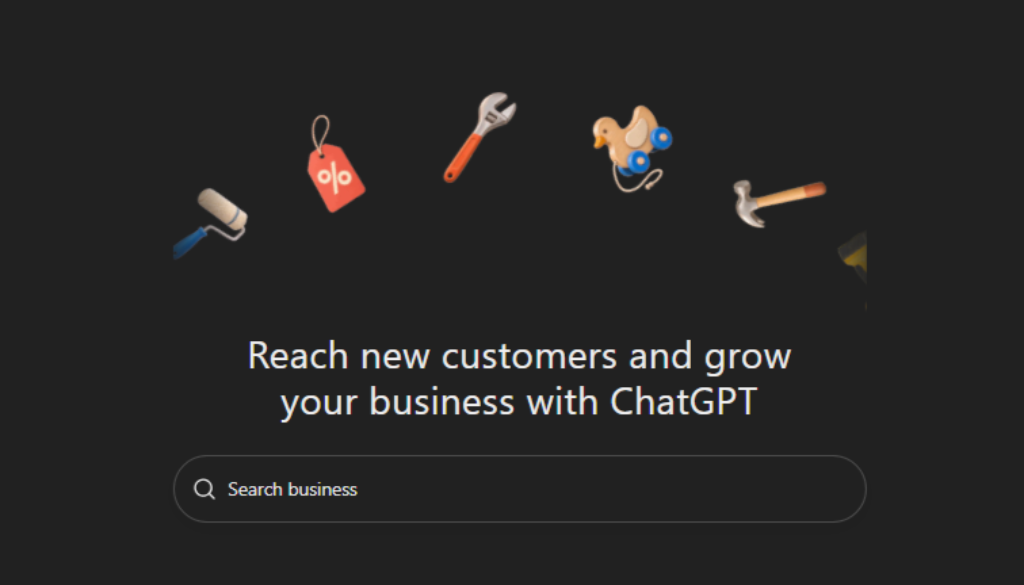
A ChatGPT business profile is the official listing a company can claim inside ChatGPT, through OpenAI’s new Business Hub, to verify ownership, correct the facts ChatGPT uses about it, and see how often ChatGPT mentions it. OpenAI opened the program, called Businesses in ChatGPT, in beta on November 10, 2026, and it is free to claim at launch.
Our short answer: if your business qualifies, claim it this week. It costs nothing but an afternoon, and it puts you, not a directory or a scraped web page, in charge of the facts ChatGPT repeats about you. Just don’t expect it to work like a ranking boost. Claiming a profile gives you control of your information, not a guaranteed spot in answers.
This guide covers who can claim a profile today, how verification works, what the Insights dashboard shows and hides, how it compares with your Google Business Profile, and what we saw when we asked ChatGPT a local question in our own market.
Key Takeaways
- Businesses in ChatGPT launched in beta on November 10, 2026. You claim and manage your profile in Business Hub.
- You verify by business phone, business email, a DNS record, or a Shopify connection, then pass an identity check through Persona to earn the blue check.
- Local stores and restaurants in the US can only claim a listing that already exists. Business Agents are limited to US ecommerce and online service businesses.
- Insights covers ChatGPT only and reports mentions, profile views, website clicks, and discovery topics. It shows no prompts and no competitors.
- For local businesses, the profile works alongside your Google Business Profile and directory listings. Every fact should match across all of them.

What Is a ChatGPT Business Profile?
A ChatGPT business profile is a verified record of your business that you manage in Business Hub. It holds the details you want ChatGPT to use, such as your website, description, logo, hours, and policies, plus an optional product feed. OpenAI announced it as part of Businesses in ChatGPT, its program for letting companies manage how they appear in ChatGPT.
Three names in this program sound alike, and they are easy to mix up:
| Name | What It Is | Who It’s For |
|---|---|---|
| Businesses in ChatGPT | The overall program, in beta since November 10, 2026 | Eligible businesses |
| Business Hub | Where you claim, verify, and edit your profile and read Insights | Owners and marketers |
| Business Agent | A branded assistant that talks with customers inside ChatGPT | US ecommerce and online service businesses |
None of these is the ChatGPT Business subscription, which is a separate paid workspace plan for your team. You don’t need that plan to claim a profile.
Who Can Claim a ChatGPT Business Profile?
Eligibility depends on where you operate and what kind of business you run. US ecommerce stores and US online service businesses can claim a profile and may qualify for a Business Agent. US local stores and restaurants can claim only an existing listing, and they can’t launch an agent yet.
| Business Type | Claim a Profile? | Business Agent? |
|---|---|---|
| US ecommerce store | Yes | Yes, if the category is eligible |
| US online service business | Yes | Yes, if the category is eligible |
| US local store, restaurant, or service-area business | Only an existing listing | Not yet |
| Multi-location brand | Brand and each location are claimed separately | Only for eligible ecommerce or online services |
| Business outside the US | Where available and verification is supported | Not yet |
Two details matter for local businesses. First, claiming your brand does not claim your locations, so a business with several offices has more than one profile to manage. Second, if your listing isn’t in Business Hub yet, there is nothing to claim. Check back, and keep your website and Google listing accurate in the meantime, since those are what ChatGPT already draws on.
How Do You Claim Your Business in ChatGPT?
To claim your business, sign in to ChatGPT, open Business Hub, search for your business, verify ownership, and complete a Persona identity check. OpenAI reviews the claim and emails a decision. Once it’s approved, you can edit your details, add a product feed, and see Insights. OpenAI’s setup guide walks through the same order.
- Use a shared business login. Sign in with an account tied to the business, not a personal one an employee might take with them.
- Open Business Hub. Find it in the ChatGPT sidebar or at chatgpt.com/business-hub.
- Search for your business. Select your listing. If it isn’t there, follow the prompts or check back later.
- Verify ownership. Choose a code by phone, a code by business email, a DNS TXT record, or a Shopify connection.
- Complete Persona. Submit the ID and business documents it asks for. The blue check appears only after this step.
- Audit every field. Compare your name, phone, hours, description, categories, and policies against your website before you save.
- Add a product feed if you sell online. Upload a CSV feed or connect Shopify so products and prices stay current.
What if verification fails?
If the DNS check fails, the usual causes are a record added in the wrong place or a check run too soon. Add the TXT record wherever your domain’s DNS is actually managed, which may be your web host rather than your registrar. Put it on the root domain, copy the value exactly, and give DNS time to update before you try again. If Persona fails, make sure the business name, address, and registration or tax number match your official records before you retry.
What Does ChatGPT Business Insights Show?
Business Insights shows how your business appears in ChatGPT: mentions, profile views, clicks to your website, and the discovery topics that bring people to you, reported over a rolling window. It is the first time OpenAI has given businesses their own numbers on how ChatGPT presents them.
It also leaves a lot out, and the gaps matter when you report results:
| Insights Shows | Insights Does Not Show |
|---|---|
| How often ChatGPT mentions your business | The prompts or conversations behind those mentions |
| Profile views and website clicks | Competitors, or who wins the questions you lose |
| Top discovery topics and common themes | Other AI tools such as Gemini, Perplexity, or Google AI Overviews |
| Data for one profile at a time | Mentions below OpenAI’s reporting threshold |
So use Insights to track your own trend month over month, not to judge how you compare with the shop down the street. To see how you show up across AI answers more broadly, pair it with the methods in our guide on how to get cited by ChatGPT. For Google’s side, use the Search Console generative AI report.
How Is a ChatGPT Business Profile Different From a Google Business Profile?
A Google Business Profile powers your listing in Google Search and Maps, with reviews, photos, and calls. A ChatGPT business profile feeds the facts ChatGPT uses in conversational answers. You need both, and they should say exactly the same thing about you.
| Google Business Profile | ChatGPT Business Profile | |
|---|---|---|
| Where people find you | Google Search, Maps, and the local pack | Answers inside ChatGPT |
| Verification | Google’s own verification methods | Phone, email, DNS, or Shopify, then Persona |
| Reviews | Customer reviews on the listing | Not part of the profile at launch |
| Reporting | Profile performance inside Google | Mentions, views, clicks, and topics in ChatGPT only |
| Who can claim | Most businesses with a real location or service area | Eligible businesses; local US businesses claim existing listings |
Reviews still matter, just not on the profile itself. When we asked ChatGPT “best roofing contractor in Stamford CT” on November 12, 2026, it built its answer from directory and review sites, including Yelp, Birdeye, ContractorsRanked, ProFindr, American Home Quotes, and BestProsInTown, and showed a rating and review count for each roofer it named. The only primary source it linked was Connecticut’s license lookup, in its advice to verify contractor registration.
That one test is a snapshot, not a study, but the lesson is practical. For local service businesses, ChatGPT is still leaning on third-party listings and reviews. Claiming your profile fixes your own facts. Keeping your Google Business Profile and directory listings accurate and well reviewed is what shapes the rest of the answer.
How Do You Keep a ChatGPT Business Profile Accurate?
Treat the profile as one more listing that has to match your website and Google Business Profile word for word. The fastest way to lose a customer’s trust is to show one set of hours in ChatGPT and another on Google. A short monthly routine keeps it clean.
- Pick one source of truth. Copy your name, address, phone, hours, and policies from your website. Don’t write new versions.
- Check monthly. Put your website, Google Business Profile, ChatGPT profile, and top directories side by side.
- Update everywhere on the same day. New hours, prices, or return policies go to every listing at once. Holiday hours are the classic miss.
- Log Insights. Record the date, mentions, profile views, website clicks, and top topics each month so you can spot trends.
- Build pages ChatGPT can link to. Give each main service its own clear page that answers common questions directly.
- Get sign-off if you’re regulated. Financial, health, and legal firms should treat the profile as a controlled communication, like their website.
This is the same consistency work behind strong local SEO in Connecticut: accurate, matching facts everywhere a customer or an AI system might look.
Is a ChatGPT Business Profile Worth It for a Local Business?
Yes, if you can claim one. It’s free, it takes an afternoon, and it gives you a verified, owner-controlled record that ChatGPT can use instead of guessing from scattered sources. The value is accuracy and visibility data, not a promise of more leads.
Keep your expectations honest. The profile doesn’t guarantee placement in answers, doesn’t show reviews, and reports on ChatGPT alone. The bigger levers are still the ones that feed every AI system: a fast, clear website, consistent listings, real reviews, and content that answers buyers’ questions. That is the work behind our answer engine optimization services and generative engine optimization services.
A ChatGPT business profile is one more listing to get right, and it works best when your website, Google Business Profile, and directories all tell the same story. Gadgetlesstech, a Stamford, Connecticut digital marketing agency founded in 2010, helps local businesses keep those facts consistent and build the pages that AI search actually cites. If you want help claiming and aligning your listings, book a strategy call.